
How to Cancel an E-Invoice: Issue a Credit Note (Type 381)
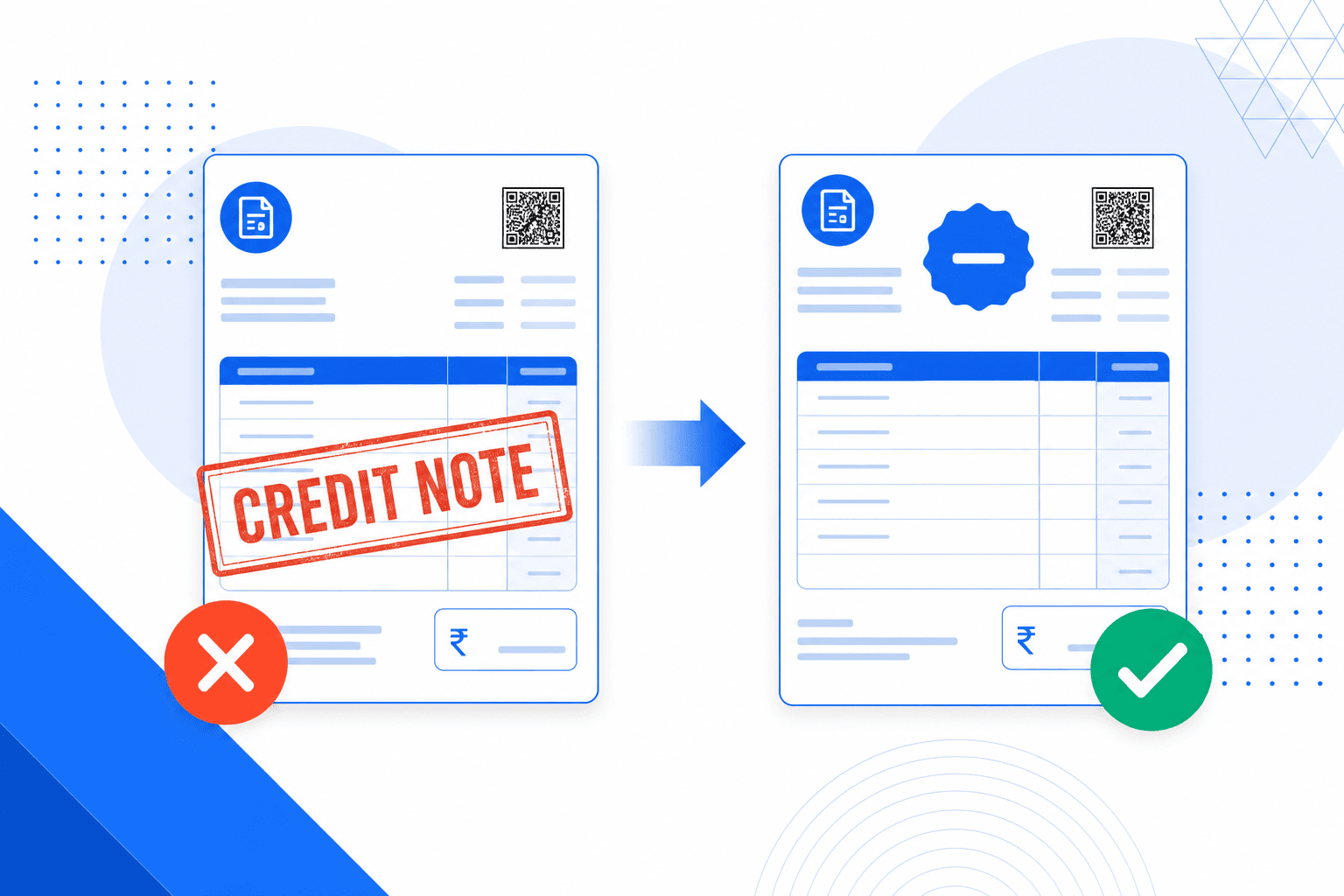
Short answer: you cannot cancel a Peppol e-invoice. Once the receiving Access Point has accepted the document, there is no recall, no delete and no undo. You cancel it economically by issuing a credit note (UBL CreditNote, UNTDID 1001 code 381) that references the original invoice number in cac:BillingReference and reverses the amounts. If you still need to bill the customer, you send a new invoice afterwards with a new number. The 24-hour cancellation window you may have read about belongs to India's GST system and does not exist in Peppol or the EU.
TL;DR
- You cannot recall a sent Peppol e-invoice. There is no undo button, no cancellation window, no delete endpoint.
- Send a credit note with code 381 and a BillingReference to the original. Then send a corrected invoice if you still need to bill.
- A credit note cannot be cancelled either. Reverse it with a debit note (code 383) or re-issue the invoice.
- The 24-hour rule is India-specific (GST/IRN). It does not exist in Peppol, EN 16931 or the Belgian mandate.
In this article
1. Can you cancel an e-invoice?
It depends on which e-invoicing system you are in, and the two answers you find online contradict each other for a reason.
In Peppol, used across the EU plus Singapore, Australia and New Zealand, the answer is no. Once your Access Point has handed the document to the recipient's Access Point over AS4, there is no mechanism to recall, retract or delete it. The document has been delivered. The recipient may have already booked it.
In India's GST e-invoicing system the answer is yes, within 24 hours, through the Invoice Registration Portal (IRP). In Malaysia's MyInvois the window is 72 hours. Most search results for "how to cancel an e-invoice" describe one of those two portals. If you invoice from Belgium or anywhere else in the EU, none of those steps apply to you.
Quick answer
In Peppol and the EU: no, you cannot cancel a sent e-invoice. Issue a credit note instead. The 24-hour window is specific to India's GST system and does not apply to Peppol BIS Billing 3.0, EN 16931 or the Belgian B2B e-invoicing mandate.
2. Why a sent e-invoice cannot be recalled
A paper invoice lives in an envelope. Catch the mistake before you post it and you tear it up. E-invoices behave differently, for three structural reasons.
Delivery is acknowledged, not just attempted
AS4 delivery is a signed, receipted handover between two Access Points. By the time you notice the mistake, the receiving Access Point has already returned a receipt. There is no protocol message that undoes it.
Both sides have an archiving duty
Sender and receiver both have to keep the invoice. In Belgium that is seven years. Deleting the document from your own system does not remove it from the recipient's system, or from the transport logs of the Access Points in between.
Some systems report to the tax authority in real time
In Italy (SDI), India (IRP) and Saudi Arabia (ZATCA) the invoice is cleared or reported before or as it reaches the buyer. You cannot untell the tax office. A credit note is the document that corrects the record instead.
3. The credit note, and the UNTDID 1001 codes around it
A credit note is a document issued by the seller that reduces or fully reverses a previously issued invoice. It is the formal, legally recognised way to correct or cancel an invoice in nearly every VAT system.
In UBL a credit note is a different root element from an invoice. You send a CreditNote document, not an Invoice document, and the type code sits in cbc:CreditNoteTypeCode instead of cbc:InvoiceTypeCode. That distinction trips up a lot of first integrations.
UNTDID 1001 codes you actually need
EN 16931 field BT-3 carries the document type code from the UNTDID 1001 code list. The full list has hundreds of entries. Peppol BIS Billing 3.0 accepts only a subset, and these are the ones that come up in practice.
| Code | Meaning | UBL document | When you use it |
|---|---|---|---|
| 380 | Commercial invoice | Invoice | The default. Almost every Peppol invoice. |
| 381 | Credit note | CreditNote | Reversing an invoice, fully or partly. This is the "cancel" document. |
| 383 | Debit note | Invoice | Increasing an amount, or reversing a credit note you issued in error. |
| 384 | Corrected invoice | Invoice | A replacement invoice. Support varies by receiver, so confirm before relying on it. |
| 386 | Prepayment invoice | Invoice | Advance payments, later settled by the final invoice. |
| 389 | Self-billed invoice | Invoice | The buyer raises the invoice. Reversed with a self-billing credit note. |
Codes outside the Peppol subset will fail schematron validation at your Access Point rather than at the receiver, which is the cheaper place to find out. Validate before you send.
Full vs partial credit notes
A full credit note reverses the entire original invoice. Every line, the full net amount and the full VAT are credited back. That is what you send when you want the invoice to effectively disappear from the customer's ledger.
A partial credit note reverses only part of it. Use it when one line was wrong, a quantity was overstated, or you agreed a discount after the fact. EN 16931 supports both. The rule of thumb: credit fully when the invoice itself is wrong (wrong buyer, wrong VAT number, wrong VAT rate), credit partly when only the commercial content changed.
Mandatory fields per EN 16931
A valid credit note under Peppol BIS Billing 3.0 must include:
cbc:ID, BT-1): a new unique identifier from your own numbering sequence, never the original invoice numbercbc:IssueDate, BT-2): the date you issue the credit note, not the date of the original invoicecbc:CreditNoteTypeCodecbc:DocumentCurrencyCode, BT-5): the same currency as the original4. How to reference the original invoice (BillingReference)
This is the field most people are looking for when they search for how to cancel an e-invoice. The link between a credit note and the invoice it reverses is EN 16931 group BG-3, "Preceding Invoice Reference". It holds BT-25, the original invoice number, and optionally BT-26, the original issue date.
In UBL that maps to this path:
cac:BillingReference/cac:InvoiceDocumentReference/cbc:ID        -> BT-25
cac:BillingReference/cac:InvoiceDocumentReference/cbc:IssueDate -> BT-26
A minimal, valid Peppol credit note that cancels invoice INV-2026-042 looks like this:
<CreditNote
  xmlns="urn:oasis:names:specification:ubl:schema:xsd:CreditNote-2"
  xmlns:cac="urn:oasis:names:specification:ubl:schema:xsd:CommonAggregateComponents-2"
  xmlns:cbc="urn:oasis:names:specification:ubl:schema:xsd:CommonBasicComponents-2">

  <cbc:CustomizationID>urn:cen.eu:en16931:2017#compliant#urn:fdc:peppol.eu:2017:poacc:billing:3.0</cbc:CustomizationID>
  <cbc:ProfileID>urn:fdc:peppol.eu:2017:poacc:billing:01:1.0</cbc:ProfileID>

  <cbc:ID>CN-2026-001</cbc:ID>
  <cbc:IssueDate>2026-09-09</cbc:IssueDate>
  <cbc:CreditNoteTypeCode>381</cbc:CreditNoteTypeCode>
  <cbc:Note>Credit note reversing invoice INV-2026-042 in full.</cbc:Note>
  <cbc:DocumentCurrencyCode>EUR</cbc:DocumentCurrencyCode>

  <!-- BG-3: the invoice this credit note reverses -->
  <cac:BillingReference>
    <cac:InvoiceDocumentReference>
      <cbc:ID>INV-2026-042</cbc:ID>
      <cbc:IssueDate>2026-06-11</cbc:IssueDate>
    </cac:InvoiceDocumentReference>
  </cac:BillingReference>

  <!-- seller, buyer, tax totals and lines follow, mirroring the original -->
</CreditNote>
Does this work outside Peppol BIS Billing 3.0?
Yes. BG-3, BT-25 and BT-26 come from EN 16931 itself, not from Peppol. Every CIUS built on EN 16931 inherits the same UBL path, including the Croatian e-račun, the Italian and Nordic profiles, and the Belgian usage of Peppol BIS Billing 3.0. The national profiles differ in which fields they make mandatory, not in where the reference lives. Check the CIUS for your country to see whether BG-3 is required or only recommended.
One practical warning. Base Peppol BIS Billing 3.0 does not make BG-3 mandatory, so a credit note without it will pass validation and be delivered. It will still cause a problem, because the recipient's accounting software has nothing to match it against and the credit lands unallocated. Always fill it in.
5. What Belgian VAT rules add on top of EN 16931
Passing Peppol validation is not the same as being compliant. Schematron checks the standard. It does not check your national VAT code. In Belgium a corrective document has two extra requirements.
cbc:Note so it is visible in any PDF rendering.The wording, in Dutch and French:
NL: BTW terug te storten aan de Staat in de mate waarin ze
    oorspronkelijk in aftrek werd gebracht.

FR: TVA a reverser a l'Etat dans la mesure ou elle a ete
    initialement deduite.
Put it in cbc:Note (BT-22) on the credit note. No Peppol validator will warn you if it is missing, and a VAT audit is a late moment to find out. If you are unsure whether the statement applies to a specific correction, ask your accountant. It hinges on whether the customer originally deducted the VAT.
6. Step-by-step: issue a credit note on e-invoice.be
There are two routes. Use the JSON document model if you are building from scratch. Post the UBL directly if your ERP already produces valid XML, or if you need full control over BG-3.
Route A: the JSON document model
Create the document with document_type set to CREDIT_NOTE. The JSON model has no dedicated billing-reference field, so carry the original invoice number in note, together with the Belgian VAT statement.
POST https://api.e-invoice.be/api/documents/
Authorization: Bearer YOUR_API_KEY
Content-Type: application/json

{
  "document_type": "CREDIT_NOTE",
  "invoice_id": "CN-2026-001",
  "invoice_date": "2026-09-09",
  "note": "Credit note reversing invoice INV-2026-042 of 2026-06-11 in full. BTW terug te storten aan de Staat in de mate waarin ze oorspronkelijk in aftrek werd gebracht.",
  "vendor_name": "Your Company BV",
  "vendor_tax_id": "BE0123456789",
  "vendor_address": "Kerkstraat 1, 1000 Brussels, BE",
  "customer_name": "Client NV",
  "customer_tax_id": "BE0987654321",
  "customer_peppol_id": "0208:0987654321",
  "currency": "EUR",
  "items": [
    {
      "description": "Consulting services (full reversal of INV-2026-042)",
      "quantity": 10,
      "unit_price": 150.00,
      "tax_rate": 21.00
    }
  ]
}
Route B: post your own UBL CreditNote
If you need a real structured cac:BillingReference in the XML, build the CreditNote yourself and upload it. The endpoint takes a multipart file. Validate it first so you see any schematron issue before the document is created.
# 1. Validate against Peppol BIS Billing 3.0
curl -X POST https://api.e-invoice.be/api/validate/ubl \
  -H "Authorization: Bearer YOUR_API_KEY" \
  -F "file=@credit-note.xml"

# 2. Create the document from the UBL
curl -X POST https://api.e-invoice.be/api/documents/ubl \
  -H "Authorization: Bearer YOUR_API_KEY" \
  -F "file=@credit-note.xml"
Send it over Peppol
Both routes end the same way. Send the created document to the same recipient that received the original invoice.
POST https://api.e-invoice.be/api/documents/{document_id}/send
Authorization: Bearer YOUR_API_KEY

// Response
{
  "id": "doc-cn-abc123",
  "state": "SENT",
  "document_type": "CREDIT_NOTE",
  "invoice_id": "CN-2026-001",
  "customer_name": "Client NV",
  "created_at": "2026-09-09T14:30:00Z"
}
You can pull the generated XML back with GET /api/documents/{document_id}/ubl to confirm exactly what left the building. On the receiving side, GET /api/inbox/credit-notes lists the credit notes your suppliers sent you.
Still need to bill the customer? Create a second document with document_type: "INVOICE" and a fresh, unique invoice_id. See our API documentation for the full reference, or read the API integration guide.
7. How to cancel a credit note you sent by mistake
A credit note is a Peppol document like any other. It cannot be recalled either. Crediting the wrong invoice, or crediting twice, is a common mistake and there are two ways out.
Option 1: issue a debit note (code 383)
A debit note increases the amount owed, which is exactly the opposite of a credit note. In UBL it travels as an Invoice document with cbc:InvoiceTypeCode set to 383, referencing the credit note in cac:BillingReference. On e-invoice.be that is document_type: "DEBIT_NOTE". It is the cleanest audit trail. The catch: many ERPs do not book debit notes automatically, so warn the customer.
Option 2: re-issue the invoice
Send a normal invoice (code 380) with a new number for the same amount, and reference both the original invoice and the erroneous credit note in cbc:Note. Every accounting package on the network handles a plain invoice. In practice this is what most Belgian bookkeepers prefer.
Whichever you pick, tell the customer before you send. Three documents arriving for one transaction without an explanation will generate a dispute, not a payment.
8. Cancellation rules by country
Different countries run different e-invoicing systems with different cancellation rules. This is why search results contradict each other.
| Country | System | Cancellation window | After the window |
|---|---|---|---|
| Belgium | Peppol BIS Billing 3.0 | None | Credit note (381) |
| EU (cross-border) | Peppol | None | Credit note (381) |
| Croatia | e-Račun (EN 16931 CIUS) | None | Credit note with BG-3 reference |
| India | GST e-invoice (IRN) | 24 hours via the IRP | Credit or debit note in GSTR-1 |
| Malaysia | MyInvois | 72 hours | Adjustment document |
| Saudi Arabia | ZATCA Fatoora | None | Credit note |
| Italy | SDI | Buyer can reject within 15 days | Nota di credito (TD04) |
The pattern is clear. Mature e-invoicing systems converge on the credit note as the correction mechanism. The systems that allow direct cancellation restrict it to a short window and still fall back to a credit note afterwards.
9. Credit note vs cancellation vs amendment vs void
These four words are used interchangeably in accounting software and they mean different things in e-invoicing. Here is what each one maps to in Peppol.
| Action | What it means | In Peppol? | How to do it |
|---|---|---|---|
| Credit note | A new document that reverses a previous invoice, fully or partly | Yes | Send a CreditNote (381) with BG-3 pointing at the original |
| Cancellation | Revoking a document as if it never existed | No | Not possible. Use a full credit note. |
| Amendment | Editing a document that was already sent | No | Credit note, then a new corrected invoice |
| Void | Marking an invoice invalid, common in US and UK accounting tools | No | Voiding is local only. Send a full credit note as well. |
| Rejection | The buyer signals they refuse the invoice | Partly | Peppol Invoice Response profile. Not mandated in Belgium, and not a cancellation. |
The takeaway: in Peppol the credit note is the only correction mechanism that changes what the customer owes. Whether your software calls it cancelling, voiding or amending, the wire format answer is the same.
10. Common mistakes when correcting e-invoices
Sending a corrected invoice without a credit note first
Send a second invoice with the right details and the recipient now has two invoices for one transaction, and two VAT entries. Credit the first, then send the replacement.
Leaving the reference in free text only
Writing "credit for INV-2026-042" in the description is not the same as filling BG-3. Automated matching reads cac:BillingReference, not prose. Do both if you like, but always fill the structured field.
Deleting the invoice in your accounting tool but not on Peppol
Your ERP may let you delete or void locally. The recipient still holds the original document. Send the credit note over Peppol so both ledgers agree.
Reusing the original invoice number
Every cbc:ID must be unique in your sequence. Reusing INV-2026-042 for the replacement invites a duplicate rejection at the receiver and breaks your numbering audit. Use INV-2026-043.
Mismatching the VAT categories
A credit note that uses a different tax category or rate from the original will not net to zero in the customer's VAT return. Mirror the original tax breakdown exactly, even when the wrong VAT rate is the reason you are crediting.
Waiting for a cancellation window that does not exist
Many guides describe the 24-hour window without saying it is India-only. Do not wait in Peppol. Issue the credit note as soon as you spot the error, before the customer books the invoice.
11. Frequently asked questions
Is it possible to cancel an e-invoice?
Not in Peppol. Once the receiving Access Point has accepted the document, there is no recall, delete or undo. You cancel the invoice economically by issuing a credit note (UBL CreditNote, UNTDID 1001 code 381) that references the original and reverses the full amount. India's GST system is the exception people usually read about: there you can cancel an IRN within 24 hours through the IRP portal.
What is the cancellation period for an e-invoice?
Peppol and EN 16931 define no cancellation window at all. The invoice is final from the moment it is delivered. India allows 24 hours through the IRP, Malaysia's MyInvois allows 72 hours. In Belgium and the rest of the EU you issue a credit note instead, and you can do that at any time.
How do I cancel an e-invoice after submitting it?
Create a credit note with a new unique number, set the document type code to 381, and reference the original invoice number in cac:BillingReference/cac:InvoiceDocumentReference/cbc:ID. Send it over Peppol to the same recipient. If the invoice needs replacing, send a corrected invoice afterwards with a fresh invoice number.
Can you cancel a credit note on an e-invoice?
No. A credit note is a Peppol document like any other, so it cannot be recalled either. To reverse a credit note you sent by mistake, issue a debit note (UNTDID 1001 code 383) that references the credit note, or simply re-issue the invoice with a new number. Agree the approach with the customer first, because not every ERP books debit notes automatically.
Which UNTDID 1001 code do I use for a credit note?
Code 381 for a credit note. A commercial invoice uses 380, a debit note uses 383, a corrected invoice uses 384, a prepayment invoice uses 386 and a self-billed invoice uses 389. On a UBL CreditNote the code goes in cbc:CreditNoteTypeCode. On a UBL Invoice it goes in cbc:InvoiceTypeCode. Peppol BIS Billing 3.0 accepts only a subset of the full UNTDID 1001 list, so validate before you send.
How do I reference the original invoice in a credit note?
Through the BG-3 Preceding Invoice Reference group. In UBL that is cac:BillingReference/cac:InvoiceDocumentReference/cbc:ID, which holds BT-25, the original invoice number. You can add cbc:IssueDate for BT-26, the original issue date. Every EN 16931 based profile inherits this structure, so the same path works in Peppol BIS Billing 3.0 and in national CIUS profiles such as the Croatian e-racun.
Can an e-invoice be corrected?
Not in place. You cannot edit a document that has already been delivered. Issue a credit note to reverse the original, then send a new invoice with the corrected details and a new number. Some jurisdictions also allow a corrected invoice with type code 384 that replaces the original. Check whether your receiver books that code before you rely on it.
Can the buyer reject an e-invoice instead?
Peppol has a separate Invoice Response profile that lets a receiver return a status such as rejected. It is not part of Peppol BIS Billing 3.0 and it is not mandated in Belgium. A rejection is also not a cancellation: the invoice still exists on both sides and in the archives. You still need a credit note to correct the accounting.
How do you cancel a self-billed e-invoice after 72 hours?
The 72-hour window belongs to Malaysia's MyInvois system, not to Peppol. In Peppol there is no time limit. For a self-billing invoice (document type SELFBILLING_INVOICE, code 389) the buyer issues a self-billing credit note (SELFBILLING_CREDIT_NOTE) that references the original document.
Can a cancelled e-invoice number be used again?
No. The document identifier (cbc:ID, BT-1) must stay unique in your numbering sequence. Even after a full credit note, the original number is spent. Give the replacement invoice a new number such as INV-2026-043.
What must a Belgian credit note contain?
Beyond the EN 16931 fields, Belgian VAT rules require a corrective document to refer to the original invoice and to carry the statement 'BTW terug te storten aan de Staat in de mate waarin ze oorspronkelijk in aftrek werd gebracht' (FR: 'TVA a reverser a l'Etat dans la mesure ou elle a ete initialement deduite'). Put it in cbc:Note. Peppol schematron validation will not flag it, because it validates the standard and not Belgian VAT law.
How do I cancel an invoice in my accounting software?
Most accounting packages offer a void or credit note button. Voiding locally only changes your own ledger. The recipient still holds the original e-invoice, and so does every Access Point log in between. You must also send a credit note over Peppol so both sides reconcile.
References and standards
- Peppol BIS Billing 3.0: CreditNote profile and the UNTDID 1001 code subset it accepts
- EN 16931-1: semantic data model, BG-3 Preceding Invoice Reference, BT-25 and BT-26
- UNTDID 1001: document name codes, including 380, 381, 383, 384, 386 and 389
- Belgian VAT Code and KB nr. 4 / AR n° 4: requirements for corrective documents
- FOD Financiën / SPF Finances: Belgian B2B e-invoicing mandate, in force since January 2026
Written and maintained by the e-invoice.be team. e-invoice.be is a certified Peppol Access Point based in Belgium. The UBL paths and API calls in this guide were checked against Peppol BIS Billing 3.0 and the live e-invoice.be OpenAPI specification. This guide is not tax advice. Confirm the VAT wording for your situation with your accountant.
Wrong invoice sent? 15 minutes to sort it out.
Walk us through what happened. We'll show you the exact credit note to issue, verify the BillingReference is correct, and make sure both sides reconcile.

Vendor-neutral. No obligation to switch platforms.